





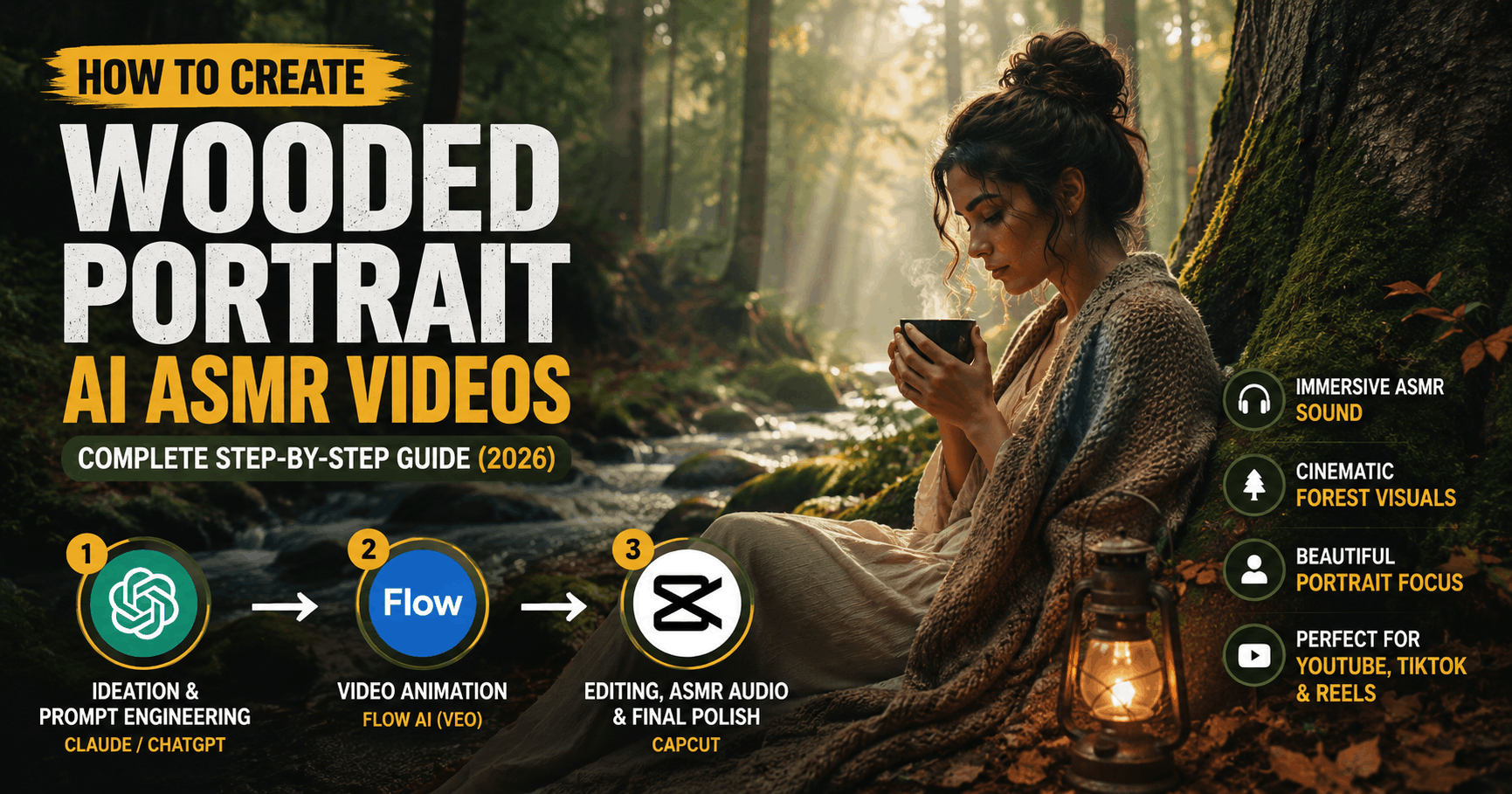
There is a specific kind of video taking over YouTube, Instagram Reels, and TikTok right now — slow, atmospheric, deeply immersive clips of a portrait subject sitting in a quiet forest or wooded setting, surrounded by the gentle sounds of rustling leaves, distant birdsong, soft rain on bark, and wind moving through tall trees. No dialogue, no music, no fast edits. Just a beautifully composed face or figure, a living forest breathing around them, and an overwhelming sense of calm. These are Wooded Portrait AI ASMR Videos, and they are performing remarkably well across every major platform.
The audience for this content is massive and deeply loyal — ASMR viewers are among the most engaged on the internet, regularly watching the same videos multiple times, often at night or during stressful moments. When you combine ASMR’s sensory appeal with the visual beauty of a cinematic forest portrait, the result is content that doesn’t just get views — it gets saves, replays, and genuine emotional connections.
The best part? You don’t need a forest location, a professional camera, or a lighting rig. With Claude or ChatGPT, Flow AI, and CapCut, you can create these atmospheric, high-quality ASMR portrait videos entirely through AI — from concept to final export — right from your desk.
This guide walks you through the complete process, step by step, including a ready-to-use Master Prompt to get you started today.
Why Wooded Portrait AI ASMR Videos Are Blowing Up
Understanding why this niche is growing so fast helps you create content that genuinely resonates rather than simply chasing a trend.
The ASMR audience is enormous and underserved on visual content. Most traditional ASMR content is audio-focused, often filmed in plain bedroom or studio settings. Viewers who love the sensory experience of ASMR are actively hungry for visually rich content that matches the emotional depth of the audio. A cinematic wooded portrait provides exactly that — a complete visual and sensory world.
Forests trigger a psychological response called “soft fascination.” Research in environmental psychology has consistently found that natural settings — particularly forests — engage the brain in a relaxed, restorative way. When viewers watch a forest portrait video, they experience both the ASMR trigger response and the calming effect of being “in nature,” even through a screen.
Portrait subjects create emotional anchoring. A face or a figure in the frame gives the viewer something to connect with. Even a still or slowly animated portrait makes the viewing experience feel personal and intimate, which drives longer watch sessions and higher emotional engagement.
The aesthetic is algorithmically strong. Platforms like YouTube and TikTok track watch time, replays, and saves as signals of quality content. ASMR videos routinely outperform standard content on all three metrics. A wooded portrait AI ASMR video that combines beauty, calm, and sensory depth is practically engineered to perform well on the algorithm.
What You’ll Need for This Workflow
The entire production process uses just three tools across three stages:
- Ideation & Prompt Engineering — Claude or ChatGPT
- Video Animation — Flow AI (Veo model)
- Editing, ASMR Audio & Final Polish — CapCut
No camera, no forest, no studio, no expensive software. Let’s walk through every step in complete detail.
Step 1: Ideation & Prompt Engineering (Claude or ChatGPT)
The atmosphere of a Wooded Portrait ASMR video lives or dies by its concept and execution details. A vague idea produces a vague result. Claude or ChatGPT are exceptional creative partners for developing the exact visual, emotional, and sensory details that will make your video feel unique and immersive.
What to Develop in This Stage
Choose Your Portrait Subject The “portrait” in a wooded portrait ASMR can take many forms — and the choice you make here defines the entire mood and audience of your video:
- A peaceful, anonymous human figure (back to camera, face partially visible, or in soft focus) — universal and emotionally safe
- A woman with long flowing hair surrounded by autumn leaves — one of the highest-performing aesthetics in this niche
- A mysterious cloaked or hooded figure in a misty forest — dark academia and fantasy audience appeal
- A child reading a book under a large oak tree — nostalgic and heartwarming
- A lone figure with an umbrella in a rainy woodland — melancholic and deeply ASMR-compatible
- A woman meditating on mossy ground with sunlight filtering through the canopy — wellness and mindfulness audience
Define the Forest Environment No two forests feel the same. Being specific about the environment is what creates depth and believability:
- Dense pine forest with a blanket of dry needles on the ground
- Misty autumn woodland with orange and red falling leaves
- Ancient oak forest with thick mossy undergrowth and cathedral-like light
- Rainy birch forest with pale white trunks and silver light
- Sunlit bamboo grove with dappled green light filtering down
- Foggy morning forest just after sunrise with long horizontal light rays
Define the ASMR Sound Environment The sounds in a Wooded Portrait ASMR video are just as important as the visuals. At this stage, plan the audio world you want to build:
- Rain on leaves — one of the most universally beloved ASMR triggers
- Light wind through branches and rustling leaves
- Distant birdsong with occasional close calls
- A barely audible brook or stream somewhere in the background
- Soft footsteps on dried leaves or damp earth
- The creak of tree branches in slow wind
Define the Camera and Motion ASMR content almost always involves extremely slow, deliberate motion — rapid movement breaks the trance. Decide in advance what the camera does:
- Extremely slow push-in toward the portrait subject
- Gentle breathing-rhythm rise and fall (simulating being seated beside the subject)
- Slow orbital drift around the figure
- Still frame with only the environment moving — wind in hair, leaves drifting past
- Gradual pull-back that slowly reveals the full depth of the forest
Example Conversation with Claude or ChatGPT
Here is how to prompt the AI to get a complete creative brief and video prompts in one go:
“I want to create a Wooded Portrait AI ASMR video for YouTube and Instagram. The mood should be deeply atmospheric, calm, and cinematic — like a painting that breathes. The subject is a woman with long dark hair sitting in a misty autumn forest at golden hour. Generate three different creative concepts for this video, including the precise visual details, the ASMR sound environment for each, and a detailed Flow AI video generation prompt for each concept. Also write a YouTube title, description, and 10 tags for the best concept.”
This single message should return a complete production brief — three fleshed-out concepts, three generation-ready Flow AI prompts, and all the metadata you need for YouTube publishing.
Step 2: Video Animation (Flow AI)
With your creative concept and prompt ready, Flow AI is where the visual magic happens. Flow AI (flow.google) is Google’s unified AI creative studio powered by the Veo 3.1 model — one of the most cinematically capable AI video generators available. For Wooded Portrait ASMR content specifically, Veo’s ability to render natural textures (moss, bark, falling leaves, mist, rain, dappled light) with extraordinary realism makes it the ideal tool for this niche.
Why Flow AI Excels at Wooded Portrait ASMR
- Cinematic natural environment rendering: Flow AI’s Veo model renders forests, mist, rain, and organic textures with a depth and realism that feels genuinely photographic rather than artificial
- Slow-motion and subtle motion support: ASMR content needs almost imperceptible movement — slow drifting leaves, barely moving hair, the subtle sway of branches — and Flow AI handles these micro-movements exceptionally well
- Native ambient audio generation: Veo 3.1 can generate synchronized natural sound (rain, wind, leaves) directly within the video generation process, giving you a significant head start on your ASMR audio layer
- Portrait composition understanding: The model has strong training on portrait photography and cinematography, which means it naturally tends to produce well-composed, visually balanced frames
Click Here: How to Create AI Kids Alphabet Videos
Complete Flow AI Workflow for Wooded Portrait ASMR
Option A — Text to Video (Simplest)
- Go to flow.google and open the video generation tool
- Paste your detailed prompt — example: “A serene young woman with long dark auburn hair sits with her back to the camera on a mossy log in an ancient misty autumn forest, golden hour light filtering through amber and red leaves, leaves gently falling around her, extremely slow subtle camera push-in, cinematic portrait composition, photorealistic, soft bokeh background, ASMR atmosphere, deeply atmospheric and still”
- Select landscape (16:9) for YouTube or portrait (9:16) for Reels and Shorts
- Enable audio generation if available — choose “natural ambient” or “forest atmosphere”
- Generate and carefully evaluate the motion — for ASMR content, you want movement that is barely perceptible, like watching a photograph breathe
- If the motion is too fast or the atmosphere isn’t quite right, refine the prompt and generate again
- Download your best result
Option B — Image to Video (More Control, Better Consistency)
- First use Flow AI’s image generation tool to create your exact portrait frame — this gives you full control over the composition, subject appearance, and lighting before adding motion
- Save the image that best captures the mood, composition, and subject you want
- Feed that image into the video generation tool with a motion prompt like: “Extremely slow push-in, leaves gently falling, mist drifting between trees, hair barely moving in light breeze, completely still and meditative, ASMR atmosphere”
- This method produces the most controlled, consistent, and cinematic result because you’ve locked in the exact frame you want before adding motion
Generating Multiple Clips for a Longer Video
A single 8-second clip won’t be enough for a satisfying ASMR video — viewers typically expect at least 5-20 minutes of content. Use Flow AI’s approach of generating multiple clips and use the Extend feature to lengthen individual clips, then stitch them together in CapCut. Consider:
- Opening clip: wide forest establishing shot with mist and birdsong
- Middle clips: gradual close-in on the portrait subject from different angles
- Insert clips: extreme close-up details — a leaf landing on bark, raindrops on moss, light catching floating dust particles
- Closing clip: slow pull-back that returns to the wide forest view
Step 3: Video Editing, ASMR Audio & Final Polish (CapCut)
Your video clips are generated. Now comes the stage that transforms raw AI footage into a genuinely immersive ASMR experience — and this is where CapCut earns its place in the workflow. CapCut is free, available on both mobile and desktop, and has the exact combination of audio and video tools needed to build the full sensory world of a Wooded Portrait ASMR video.
Complete CapCut Editing Workflow
1. Import and Arrange Your Clips Import all your Flow AI clips into a new CapCut project. Set the canvas to 1920×1080 for YouTube landscape or 1080×1920 for vertical platforms. Arrange clips in a logical atmospheric sequence — wide establishing shot first, gradually moving closer to the portrait subject, then pulling back for the close.
2. Slow Everything Down ASMR content breathes slowly. Use CapCut’s speed control to reduce all clips to 70-80% of their original speed. This single adjustment dramatically increases the meditative, trance-like quality of the video. For extreme close-up detail clips (raindrops, leaves, bark texture), reduce speed further to 50% for maximum ASMR effect.
3. Build the ASMR Audio Layer — This Is Critical The audio in a Wooded Portrait ASMR video is what separates a beautiful clip from a genuine ASMR experience. CapCut’s audio tools let you layer multiple sounds to create a complete sonic environment:
- Base layer: Continuous low-volume forest ambience — gentle wind, distant trees swaying, subtle environmental hum
- Mid layer: Soft rain on leaves — one of the most universally effective ASMR sounds. Add this at medium volume, about 40% of your mix
- Detail layer: Occasional birdsong, a single bird call that fades naturally, or a distant brook sound at very low volume
- Texture layer: Very subtle leaf rustle or the sound of light footsteps on damp earth — these close, textured sounds are the heart of ASMR
Keep all audio layers subtle and balanced — ASMR works through layering and restraint, not volume. The overall audio experience should feel like you’re genuinely sitting in that forest, not like you’re listening to a sound effects track.
4. Apply Cinematic Color Grading The visual atmosphere of your Wooded Portrait ASMR video is defined significantly by color grading. In CapCut’s color adjustment tools:
- Slightly reduce brightness and increase contrast for depth
- Warm up the shadows (add amber/golden tones to the dark areas) to create the golden hour feel
- Desaturate slightly overall, then selectively boost greens (forest foliage) and ambers (autumn leaves)
- Add a subtle vignette (darkening around the edges of the frame) to draw the eye toward the portrait subject
This combination creates the muted, rich, painterly color palette that defines the best Wooded Portrait ASMR content.
5. Add Minimal, Optional Text Most Wooded Portrait ASMR videos work best with no text overlays — the atmosphere speaks for itself. However, if you want to add text, keep it minimal:
- A single line of text in the first few seconds: “Rainy Forest | ASMR | No Talking” — this sets viewer expectations and improves searchability
- Use a thin, elegant serif font in a muted color (cream, soft white, or light brown) at low opacity
- Place it at the bottom of the frame and fade it out after 10 seconds
6. Apply a Subtle Film Grain A very light film grain overlay (5-10% opacity) adds a cinematic, organic texture to AI-generated footage that makes it feel less digital and more like a real film or photograph. CapCut has grain overlay options in its effects library — search for “film grain” or “noise texture.”
7. Add a Smooth Fade In and Fade Out ASMR videos should begin and end gently. Add a 2-3 second black fade-in at the start and a 3-5 second fade-out at the end. This prevents jarring cuts that break the meditative state.
8. Set Video Duration For YouTube ASMR content, aim for these lengths:
- YouTube Shorts/Reels/TikTok: 30-60 seconds (use your strongest single clip)
- YouTube standard ASMR: 10-30 minutes (stitch multiple loops of your best clips with continuous audio)
- Sleep content: 1-3 hours (loop your best clips with continuous forest audio)
Longer videos earn significantly more watch time and tend to rank better in YouTube’s ASMR search results.
9. Export Settings Export at 1080p minimum, 4K if your clips support it. Use the highest available bitrate for the smoothest motion quality. For YouTube, MP4 with H.264 encoding is ideal.
Click Here: Best AI Tools 2026: Top Picks That Actually Save Time and Make Money
MASTER PROMPT: Wooded Portrait AI ASMR Videos
Here is a complete, ready-to-use Master Prompt you can paste directly into Claude or ChatGPT:
ROLE: You are an expert AI video prompt engineer and ASMR content
strategist specializing in atmospheric, cinematic Wooded Portrait
ASMR content for YouTube, Instagram, and TikTok.

TASK: Help me create a complete production package for a Wooded Portrait
AI ASMR video.

PORTRAIT SUBJECT: [e.g., a woman with long flowing hair / a hooded
figure / a person reading / a meditating figure / an anonymous silhouette]

FOREST ENVIRONMENT: [e.g., misty autumn woodland / rainy pine forest /
ancient oak grove / sunlit bamboo grove / foggy birch forest]

SEASON & TIME: [e.g., autumn golden hour / early morning mist /
midnight moonlit forest / winter dusk / spring rain]

MOOD: [e.g., deeply meditative / mysterious and atmospheric /
peaceful and healing / melancholic and nostalgic / magical and ethereal]

DELIVERABLES I NEED:

1. CREATIVE CONCEPT BRIEF (3 variations):
   For each variation, describe:
   - The exact visual scene with precise detail
   - The portrait subject's position, clothing, and atmosphere
   - The specific forest environment and lighting
   - The ASMR sound environment (list all sound layers)
   - The camera movement and motion style
   - The overall emotional experience for the viewer

2. FLOW AI VIDEO GENERATION PROMPTS:
   For each concept, write a detailed text-to-video prompt including:
   - Subject description with atmosphere details
   - Forest/environment description
   - Lighting style (golden hour, misty, moonlit, etc.)
   - Camera movement (slow push-in, gentle drift, still, etc.)
   - Style keywords (cinematic, photorealistic, ASMR, atmospheric)
   - Audio direction for native sound generation

3. CAPCUT AUDIO LAYER PLAN:
   For the strongest concept, write a detailed audio layering plan:
   - Base ambient layer description
   - Mid-layer ASMR trigger sounds
   - Detail/texture sounds for maximum ASMR effect
   - Suggested volume balance for each layer

4. YOUTUBE METADATA:
   - 3 SEO-optimized title options
   - Full YouTube description (400 words, keyword-rich)
   - 20 relevant tags
   - Thumbnail concept description

5. CONTENT SERIES PLAN:
   Suggest 10 follow-up Wooded Portrait ASMR video ideas that
   build on this concept for a consistent content series.

OUTPUT FORMAT: Organize by Concept 1, Concept 2, Concept 3,
then YouTube Metadata, then Series Plan.
Best Wooded Portrait ASMR Concepts That Perform Best
If you’re not sure where to start with your first video, here are the consistently highest-performing concepts in this niche right now:
Rainy Autumn Forest Portrait A lone figure sitting still as soft rain falls around them, amber leaves drifting down, the sound of rain on leaves filling the soundscape. This is the most universally beloved aesthetic in the entire wooded ASMR niche — the combination of autumn color, rain sound, and a still portrait subject triggers almost every ASMR trigger simultaneously.
Golden Hour Forest Meditation A figure with their back to camera, seated on mossy ground or a fallen log, as golden morning light filters horizontally through ancient trees. Long shadows, dust particles floating in beams of light, complete silence except for distant birdsong. Performs extremely well with wellness and mindfulness audiences.
Misty Morning Woodland Figure A barely visible silhouette standing deep in a dense mist-filled forest at dawn, trees gradually becoming visible as the light grows. The mist itself creates a natural ASMR visual texture. Particularly effective for longer sleep-focused videos.
Moonlit Forest Night Portrait A mysterious figure in a moonlit clearing, silver light cutting through dark tree canopies, complete stillness, the occasional sound of a distant owl. Appeals strongly to dark academia and fantasy audiences who tend to be heavy ASMR consumers.
Reading by a Forest Brook A figure sitting beside a gently flowing stream in a green summer forest, the sound of water over stones forming the primary ASMR audio layer. Books or a journal in hand add a cozy, intellectual aesthetic that performs well with the BookTok and cottagecore communities.
YouTube SEO Strategy for Wooded Portrait ASMR
Getting your video discovered requires as much thought as creating it. Here’s how to optimize for the ASMR search ecosystem specifically:
Title Formula: [Environment] + [Portrait/Subject] + ASMR + [Sound Element] + [No Talking/Sleep/Relaxation]
Examples:
- “Rainy Autumn Forest ASMR | Wooded Portrait | Rain on Leaves | No Talking | Sleep”
- “Misty Morning Forest ASMR | Cinematic Portrait | Birdsong & Wind | 1 Hour”
- “Golden Hour Forest ASMR | Soft Rain & Wind | 4K | No Music | Deep Relaxation”
Description Strategy: Open with a 2-3 sentence description of what the viewer will experience — write it in second person (“You are sitting in an ancient forest at dusk…”). This creates immediate immersion and boosts the emotional resonance of the description. Then follow with keyword-rich content describing the sounds, environment, and intended use (sleep, study, relaxation, meditation).
Thumbnail Design: The thumbnail for ASMR content should feel calm, beautiful, and immediately atmospheric. Use a single strong frame from your video — the forest portrait at its most cinematic moment. Add minimal text in an elegant serif font: “ASMR | Rain & Forest | 1 Hour.” Avoid bright pop-art thumbnails — the ASMR audience actively prefers muted, moody, high-quality visual thumbnails.
Tags to Include: ASMR, forest ASMR, rain ASMR, nature ASMR, sleep ASMR, wooded portrait ASMR, no talking ASMR, relaxing forest sounds, ASMR for sleep, rain on leaves ASMR, atmospheric ASMR, cinematic ASMR, 4K ASMR, ambient forest, study with me ASMR
Monetization Potential for Wooded Portrait ASMR Channels
ASMR channels are among the most financially rewarding on YouTube once they reach scale. Here’s what the monetization landscape looks like:
YouTube AdSense: ASMR content attracts wellness, sleep, and relaxation advertisers who pay premium CPM rates. ASMR channels regularly report CPMs 2-3x higher than general entertainment channels.
YouTube Membership: ASMR audiences are exceptionally loyal. Offering exclusive longer videos, early access, or ad-free versions through channel membership converts well.
Patreon: Many ASMR creators maintain Patreon accounts offering high-quality audio files, extended 8-hour versions of videos, and community access. The deeply personal relationship ASMR viewers feel with creators makes Patreon conversion rates unusually high.
Spotify and Podcast Platforms: The audio from your Wooded Portrait ASMR videos can be repurposed as ambient sound tracks and distributed on Spotify, Apple Podcasts, and other streaming platforms — creating a secondary income stream from the same content.
Digital Downloads: High-quality forest ambient audio files, extended sleep recordings, and seasonal ASMR packs sell well on platforms like Gumroad and Etsy.
Common Mistakes to Avoid
Moving too fast: The single most common mistake in ASMR content is motion that is too fast for the trance-like state the viewer is trying to enter. Always slow your clips down further than feels natural — what seems like a crawl in editing is often exactly right for the viewer.
Over-layering audio: More sound is not better in ASMR. A cluttered audio mix with too many competing sounds breaks the experience. Build your audio layer by layer, keep everything subtle, and leave space in the mix.
Poor color grading: AI-generated footage can sometimes look slightly clinical or oversaturated. Taking five minutes to apply warm color grading in CapCut transforms the visual quality dramatically and makes the content feel genuinely cinematic.
Uploading short videos only: ASMR audiences want to fall asleep or study to your content, which means they need long videos. Short 60-second clips are useful for Reels and TikTok discovery, but your YouTube channel should prioritize 20-minute to 1-hour uploads for maximum watch time and revenue.
Inconsistent aesthetic: The channels that dominate ASMR have a recognizable, consistent visual identity. Decide on your forest environment style, your portrait aesthetic, and your color palette — and maintain them consistently across your content series.
Conclusion
Wooded Portrait AI ASMR Videos sit at a perfect intersection of visual beauty, sensory immersion, and psychological comfort — and the tools available in 2026 make creating this content genuinely accessible to anyone. Claude or ChatGPT handle the creative and strategic thinking, Flow AI produces the cinematic, atmospheric video that makes this content so immersive, and CapCut completes the experience with layered ASMR audio, color grading, and professional polish.
Whether your goal is building a dedicated ASMR channel, creating calming content for a wellness brand, or simply exploring the creative possibilities of AI video generation, this workflow gives you a professional, repeatable process that produces genuinely beautiful results.
Use the Master Prompt above, choose your forest and your portrait subject, and step into the woods. Your audience is already waiting in the quiet.


