





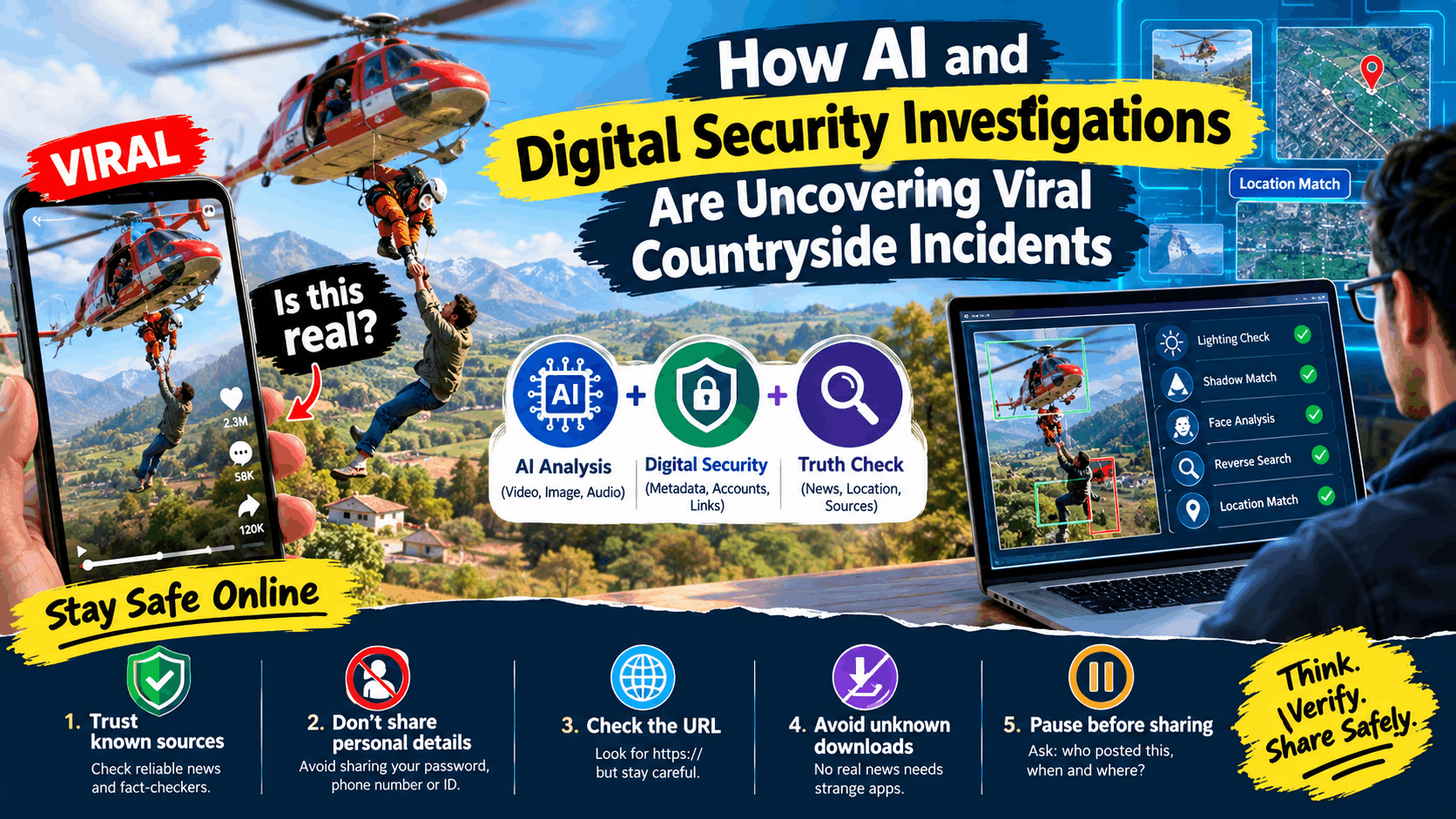
Your feed shows a video of a helicopter hovering over a quiet field. A frightened person is being rescued, and the whole scene looks like it came straight out of an action movie. Within hours, millions of people on Facebook and TikTok are watching, sharing, and asking one simple question: Is this real?
This is now a very common story online. A dramatic clip appears, the internet goes wild, and only later do people find out what it actually was. In this article, we look at how AI tools and digital security checks help uncover the truth behind such viral countryside incidents.
Why Dramatic Countryside Videos Grab Attention So Fast
Open fields, hills, and villages make a perfect background for a powerful story. Add a helicopter, a rescue, or a tense emergency, and people can’t look away.
Here is why these videos spread so quickly:
- Strong emotions: Fear, worry, and excitement push people to share first and think later.
- Short and shocking: A 20-second clip is easy to watch and easy to forward.
- Missing context: Most videos come without a date, place, or source, so viewers fill in the story themselves.
- Looks like real footage: Shaky cameras and natural sounds make even planned scenes feel like real news.
Real Event, Movie Scene, or AI Video?
Not every dramatic clip is a real emergency. Many viral videos actually come from one of these three sources:
- A real news event captured by a local person.
- A film, drama, or training shoot that lost its original caption.
- An AI-generated or edited video made by a creator for views.
Today’s AI video tools can create very realistic visuals. They can copy wind movement, helicopter blades, sunlight, and even emotional faces. That is great for creative work, but it also makes it harder for normal viewers to know what they are looking at.
How AI Helps Verify Viral Videos
AI does not give a final verdict alone, but it speeds up the checking process a lot.
Checking Visual Details
Tools can study lighting, shadows, and edges of moving objects. If a helicopter’s shadow does not match the sunlight, or the grass does not move with the rotor wind, that is a warning sign.
Looking at Faces and Voices
Some AI-made clips show small errors, like lips that don’t match the words exactly, blinking that looks unnatural, or a voice that sounds too clean for an outdoor place.
Finding the First Upload
Reverse image and video search can show whether the clip appeared earlier with a different caption. Many “breaking” videos turn out to be old or from another country.
Matching the Location
Investigators compare mountains, roads, buildings, and trees with satellite maps to see if the scene truly matches the place mentioned in the post.
What Digital Security Experts Add
While AI scans the video, digital security specialists look at the technical side:
- File details (metadata): Sometimes a file still carries the date, device, or time of recording. It is not always available, but when it is, it helps a lot.
- Account behavior: A new account that only posts shocking clips is more suspicious than an old, trusted one.
- Spread pattern: If many similar accounts share the same video at the same minute, the popularity may be pushed artificially.
- Scam links: Many viral posts say “watch the full video here.” These links can lead to fake login pages or harmful downloads.
Simple Safety Tips Before You Click or Share
When a video trend explodes, people rush to find “full videos” and “official reports.” That is exactly when scammers become active. Keep these habits:
- Trust known sources. Check if reliable news outlets or verified fact-checkers have covered the story.
- Never enter personal details. Do not type your password, phone number, or ID on unknown pages.
- Look at the web address. A site starting with https:// is a basic sign of an encrypted connection, but it does not prove the site is honest, so stay careful.
- Avoid unknown downloads. No real news video needs you to install a strange app.
- Pause before sharing. Ask: who posted this, when, and where?
The Limits of AI Detection
AI detection tools are helpful, but they are not perfect. Poor video quality, heavy compression, and new video-generation methods can confuse them. A real clip may be flagged as fake, and a fake one may pass as real. That is why the best method is a mix of technology, human review, and trusted sources.
Final Thoughts
As AI video tools improve, the line between real footage and digital creation will keep getting thinner. That does not mean we should distrust everything. It means we should watch smarter: check the source, look for proof, and stay careful with links.
Next time a shocking countryside video lands in your feed, take one minute to verify before you hit share. That one minute can stop a rumor and keep you safe online.
Stay connected with Technivella for simple, useful updates on AI tools, digital security, and online media analysis.
FAQs
How can I tell if a viral video is AI-generated?
Look for odd shadows, unnatural movement, mismatched lip-sync, and missing source details. Then search for the same clip on trusted news or fact-check websites.
Can AI tools always detect fake videos?
No. They can find many signs, but they are not 100% accurate, so human checking is still important.
Are links under viral videos safe?
Not always. Some lead to scams or harmful software. Open only links from sources you trust.
Why do movie or AI clips get mistaken for real news?
Because they are shared without the original caption, and realistic visuals make people believe them quickly.


