
Let’s be honest. CapCut is one of the best video editing apps ever built for content creators. The templates are slick, the AI features are genuinely useful, the interface is intuitive, and it works beautifully on both mobile and desktop. But the moment you try to export a project that uses a premium template or a premium feature — the paywall hits. And CapCut Premium isn’t exactly cheap, especially if you’re a creator who’s just getting started and isn’t yet generating consistent income from your content.
That’s exactly the frustration that CapFlow was built to solve.
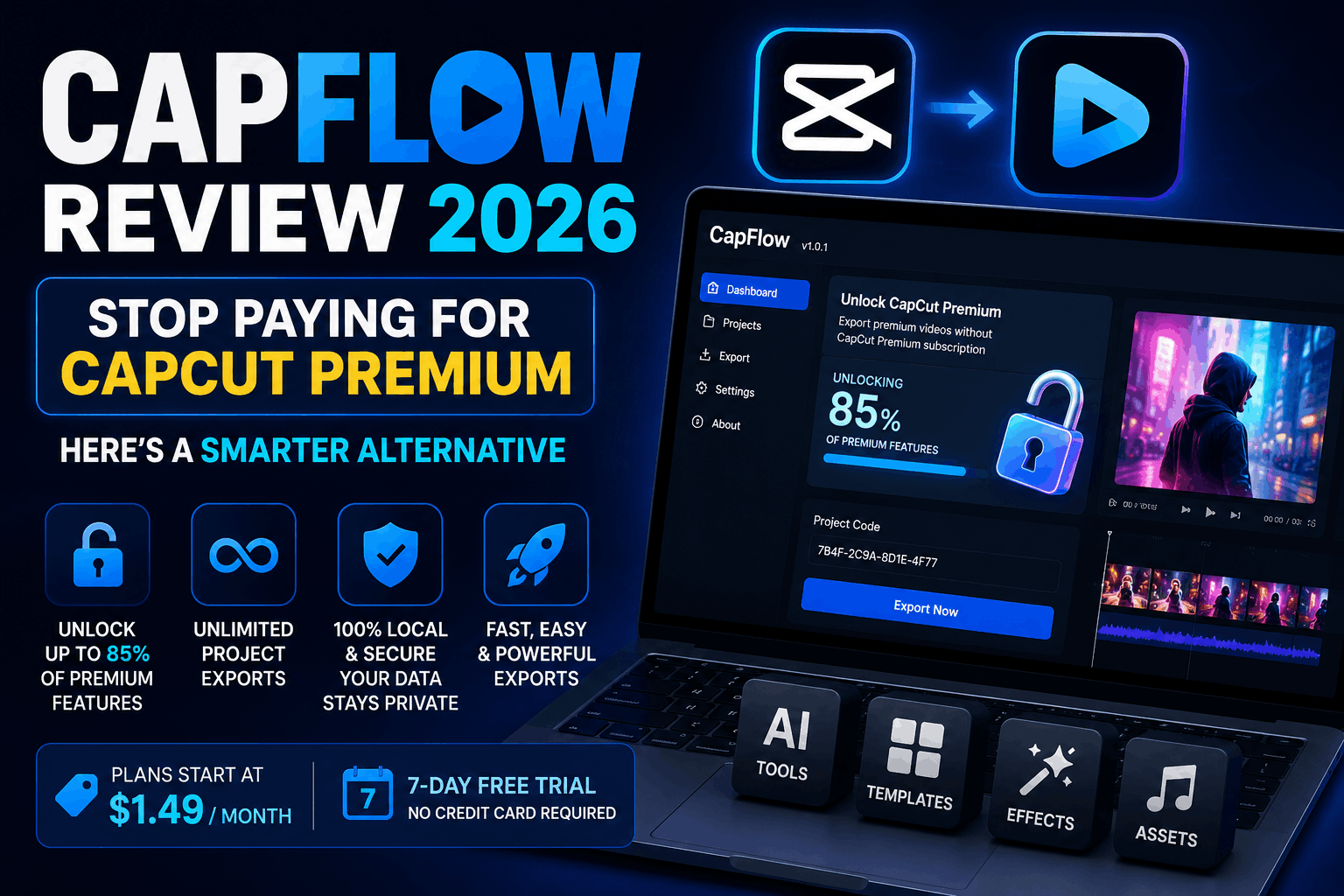
CapFlow (available at capflow.inov8ing.xyz) is a lightweight Windows desktop application that unlocks up to 85% of CapCut Premium features without requiring an active CapCut subscription. You paste your project code, hit export, and you’re done — premium output without the premium price tag. Plans start at just $1.49 per month, which is a fraction of what CapCut Premium costs, and there’s even a 7-day free trial that requires no credit card at all.
In this complete review, we’ll cover exactly what CapFlow is, how it works, what it costs, who it’s designed for, and whether it’s genuinely worth using in 2026.
What Is CapFlow?
CapFlow is an independent Windows desktop application (currently running version 1.0.1) developed by the team at Inov8ing. It is not affiliated with CapCut or ByteDance in any way — it’s a standalone tool built specifically for CapCut power users who are tired of hitting premium paywalls during their editing workflow.
The core idea is simple: CapFlow works within CapCut’s existing project ecosystem. You create your project in CapCut as you normally would, using whatever premium templates, effects, or features you need. Then, instead of running into the export paywall, you paste your project code into CapFlow, and the application handles the export process for you — giving you a clean, watermark-free, premium-quality output without an active CapCut subscription.
It’s not a crack, it doesn’t modify CapCut’s software, and it doesn’t touch any protected files. CapFlow operates entirely on your local machine, processes only the project code you provide, and sends no data to external servers. According to their published privacy policy, your project data is never stored, copied, or transmitted anywhere.
The Problem CapFlow Solves
To understand why CapFlow matters, you need to feel the specific pain it addresses.
CapCut’s free tier is genuinely generous — for basic editing, trimming, adding music, and simple text overlays, you can do a lot without paying anything. But CapCut’s most powerful and visually impressive features are locked behind the premium subscription:
- Premium AI-generated templates and effects
- Watermark-free exports at full resolution
- Advanced AI tools including AI background removal, AI avatars, and AI voice features
- Access to the full premium asset library (music, stickers, fonts, transitions)
- Higher quality export settings
For a content creator who builds their entire workflow around these premium features — templates for Reels, cinematic transitions for YouTube, AI voice for faceless channels — the CapCut Premium subscription starts to feel unavoidable. And while CapCut’s pricing isn’t outrageous, it adds up quickly when you’re also paying for other tools, software, and platform subscriptions across your content creation stack.
CapFlow’s answer to this problem is clean and direct: you shouldn’t need to pay full monthly subscription rates just to export a project you’ve already built.
How CapFlow Works — Step by Step
The process is designed to be as frictionless as possible. Here’s the complete workflow:
Step 1 — Build Your Project in CapCut Create your video in CapCut exactly as you normally would. Use any templates, effects, AI features, or premium assets you need. Build the entire edit without worrying about the paywall — that comes later, and CapFlow handles it.
Step 2 — Get Your Project Code In CapCut, locate and copy your project code. CapFlow’s auto-detect feature can also identify CapCut projects on your system automatically, which makes this step even faster.
Step 3 — Paste Into CapFlow Open the CapFlow desktop application on your Windows PC and paste your project code into the tool. CapFlow reads the code locally — nothing is uploaded or transmitted externally.
Step 4 — Export Click export. CapFlow processes your project and delivers a clean, premium-quality export — without needing an active CapCut Premium subscription on your account.
That’s genuinely the entire process. Four steps, no technical knowledge required, no modification of CapCut’s software, and no data leaving your machine.
Key Features of CapFlow
Unlock Up to 85% of CapCut Premium Features
CapFlow unlocks the vast majority of CapCut’s premium capabilities — templates, effects, export quality, and asset access — without requiring an active subscription. The 85% figure is what the developers specify, acknowledging that some deeply integrated features may still require direct CapCut account access.
Auto-Detect CapCut Projects
Instead of manually hunting for your project code, CapFlow can automatically scan your Windows system and detect existing CapCut projects. For users who work across multiple projects simultaneously, this saves meaningful time during the export workflow.
Unlimited Project Exports
All CapFlow plans include unlimited exports. There are no per-export fees, no daily limits, and no hidden caps on how many projects you can process through the tool.
Runs Entirely Locally
CapFlow is a desktop application that runs on your machine. It doesn’t require a constant internet connection to function, and your project data never leaves your computer. For creators who work with client videos or sensitive content, this local-first approach is a meaningful privacy advantage.
No CapCut Modification
CapFlow does not patch, crack, inject into, or modify CapCut’s software in any way. Your CapCut installation remains completely unaltered. This means CapCut updates don’t break CapFlow’s functionality, and you’re not putting your system at any security risk by using it.
Windows 10 and 11 Compatible
CapFlow is built for Windows 10 and Windows 11. If you’re on a Mac, the current version isn’t available for you yet — but Windows users have full access immediately after download.
CapFlow Pricing — Complete Breakdown
One of CapFlow’s strongest selling points is how affordable it is compared to CapCut Premium itself. Here’s the complete pricing structure:
| Plan | Price | Key Benefits |
|---|---|---|
| Monthly | $1.49/month | Full premium feature access, unlimited exports, auto-detect, email support |
| Yearly | $12.99/year | Everything in Monthly + Priority support + Early access to updates + 7-day free trial + Save $4.89 vs monthly |
| Lifetime | $29.99 one-time | Everything in Yearly + Lifetime updates forever + Priority support forever + No recurring charges + 7-day money-back guarantee |
The verdict on value: At $1.49/month, CapFlow is almost certainly the most affordable premium video editing productivity tool available for CapCut users in 2026. The Lifetime plan at $29.99 is the best long-term value — a single one-time payment that covers forever, with no recurring charges and a 7-day money-back guarantee that makes it essentially risk-free to try.
For comparison, CapCut Premium on its own costs significantly more per month. If CapFlow delivers on its promise of unlocking 85% of those premium features at $1.49/month or $12.99/year, the math is extremely compelling for any active content creator.
Who Is CapFlow Best For?
CapFlow isn’t for everyone — it’s specifically designed for a particular type of creator and workflow. Here’s who benefits most:
High-Volume Short-Form Content Creators If you’re producing Reels, TikToks, or YouTube Shorts in volume — multiple videos per week — the cost savings from CapFlow add up fast. Premium templates are what make content look polished and professional, and CapFlow lets you use them without the full subscription overhead.
Faceless YouTube Channel Creators Creators building faceless channels — AI voice, stock footage, text overlays — rely heavily on CapCut’s AI voice and template features. CapFlow makes these features accessible at a fraction of the cost, which is significant when you’re running multiple channels simultaneously.
Beginners and New Creators If you’re just starting your content creation journey and aren’t yet generating income from your channel, paying full price for CapCut Premium is a hard pill to swallow. CapFlow gives you access to professional-quality features while you build your audience and revenue.
Freelance Video Editors Editors who produce client work in CapCut and need to deliver premium-quality exports without passing full subscription costs on to every client will find CapFlow a genuinely useful workflow addition.
Digital Marketers and Social Media Managers Professionals who produce regular social media video content for brands or businesses can use CapFlow to maintain premium output quality without adding CapCut Premium to every client’s software budget.
Click Here: CapCut Pro [14.3.0 MOD APK]: All Premium Features Unlocked
What Real Users Are Saying
CapFlow launched recently and is still building its review base, but early user feedback has been positive. Creator Ali, who left a 5-star review on July 3, 2026, noted:
“This is Great working. I know this trick before but I ignored it due to complexity, but now I am using it everyday. Thanks dude.”
The sentiment captures exactly what CapFlow is going for — a tool that sounds complicated in theory but turns out to be straightforward and immediately useful in practice.
Is CapFlow Safe to Use?
This is the question every cautious creator will ask, and it deserves a direct, honest answer.
CapFlow does not modify CapCut. This is the most important safety point. The application doesn’t patch any binaries, inject any code, or alter any CapCut files. Your CapCut installation is completely untouched.
CapFlow runs locally. All processing happens on your machine. No project data is sent to CapFlow’s servers or any third party. You’re not uploading your video content anywhere.
CapFlow only reads what you give it. The application processes only the specific project code you paste or allow it to auto-detect. It doesn’t access any other files on your system.
CapFlow is transparent about what it is. The privacy policy and terms of service are publicly available on the website, clearly written, and explicit about what the tool does and doesn’t do. The developers state plainly that CapFlow is not bypassing CapCut illegally and is not a crack system.
As with any third-party tool, reasonable caution is sensible. Read the terms, understand what you’re downloading, and make an informed decision. But based on the published information, CapFlow presents itself as a transparent, locally-running productivity tool rather than anything sketchy or harmful.
CapFlow vs CapCut Premium — Which One Makes Sense for You?
| Comparison Point | CapFlow | CapCut Premium |
|---|---|---|
| Monthly Cost | $1.49/month | Significantly higher |
| Yearly Cost | $12.99/year | Higher |
| One-Time Option | $29.99 lifetime | Not available |
| Premium Feature Access | Up to 85% | 100% |
| Works Without CapCut | No (needs CapCut installed) | N/A |
| Platform | Windows only (currently) | Windows, Mac, Mobile |
| Free Trial | 7 days, no credit card | Limited free tier |
| Internet Required | No (runs locally) | Yes |
Choose CapCut Premium if: You need 100% of CapCut’s features including the most cutting-edge AI tools, you work on Mac or mobile, or you need direct access to CapCut’s full premium library with constant new additions.
Choose CapFlow if: You’re primarily a Windows user, you work with CapCut projects regularly and hit the export paywall frequently, you’re cost-conscious, and you’re comfortable with a tool that unlocks 85% of premium features at a fraction of the price.
How to Get Started with CapFlow
Getting started is fast and requires no credit card for the initial download:
- Visit capflow.inov8ing.xyz in your browser
- Select your plan — Monthly ($1.49), Yearly ($12.99), or Lifetime ($29.99)
- Enter your email address — CapFlow will send your download link directly to your inbox
- Download and install the Windows application (requires Windows 10 or 11)
- Open CapFlow, paste your CapCut project code or use auto-detect
- Export your project — premium quality, no subscription needed
For the Yearly and Lifetime plans, a 7-day free trial is included. The Lifetime plan additionally comes with a 7-day money-back guarantee, making it genuinely risk-free to test.
Frequently Asked Questions
Is CapFlow affiliated with CapCut or ByteDance? No. CapFlow is a completely independent tool developed by Inov8ing. It has no affiliation with CapCut, ByteDance, or any of their subsidiaries.
Do I still need CapCut installed? Yes. CapFlow works within CapCut’s project ecosystem — you still create and edit your videos in CapCut. CapFlow handles the export step.
Does CapFlow work on Mac? Currently, CapFlow is only available for Windows 10 and Windows 11. Mac support is not available in version 1.0.1.
Will using CapFlow get my CapCut account banned? CapFlow does not interact with CapCut’s servers or modify any CapCut software, so there is no account-level action being taken on CapCut’s side. However, as with any third-party tool, users should make their own informed decision about their usage.
What happens after the 7-day free trial? After the trial ends, you can choose a paid plan (Monthly, Yearly, or Lifetime) to continue using CapFlow. No credit card is required to start the trial.
Is my project data safe? Yes. CapFlow processes your project code locally on your machine. No project content is stored, transmitted to servers, or shared with any third party.
What is the refund policy? The Lifetime plan comes with a 7-day money-back guarantee. Contact the team at connect@inov8ing.xyz for any support or refund requests.
Final Verdict: Is CapFlow Worth It?
For the right creator, CapFlow is a genuinely compelling proposition. At $1.49/month or $12.99/year — with a no-credit-card free trial — the barrier to trying it is almost zero. If it delivers on the promise of unlocking 85% of CapCut’s premium features for less than the price of a cup of coffee per month, the value-to-cost ratio is exceptional.
The Lifetime plan at $29.99 is particularly interesting — one payment, no recurring charges, lifetime updates, and a money-back guarantee. For any creator who uses CapCut regularly as part of their production workflow, that’s a very easy decision to justify.
CapFlow won’t replace CapCut Premium for everyone — if you need 100% of CapCut’s features, especially the latest AI additions, the full premium subscription makes sense. But for the large majority of content creators who simply want to export their projects cleanly and access the core premium feature set without an expensive monthly commitment, CapFlow fills that gap very effectively.
Download CapFlow, start your free 7-day trial, and see for yourself at capflow.inov8ing.xyz.