





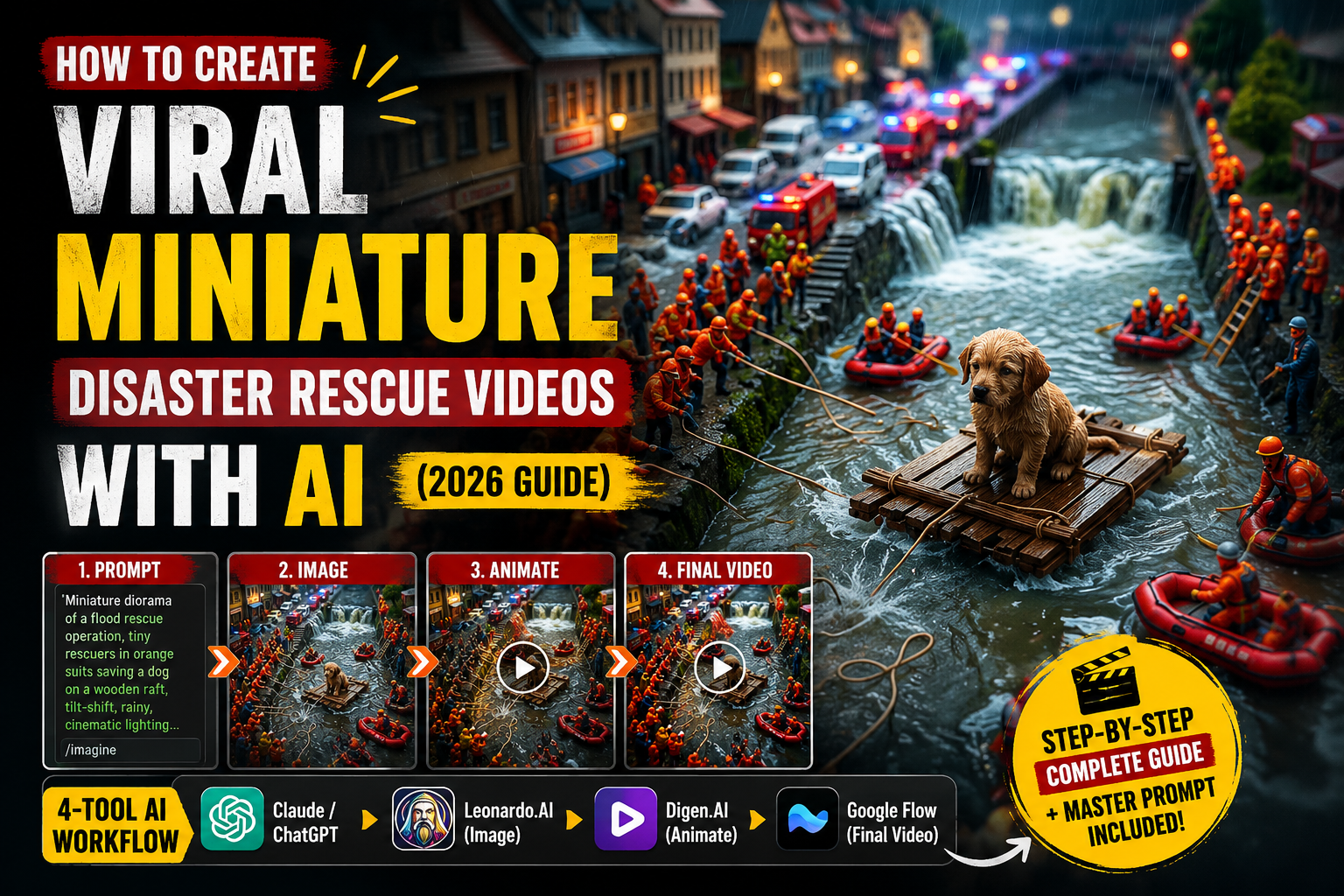
If your TikTok or Instagram Reels feed has been flooded with tiny figurine people getting rescued by a giant human hand, you’ve already seen the trend that’s quietly become one of the most addictive video formats on social media right now. A miniature world is in crisis — a flooded bridge, a frozen town, a cracked road — and just when things look hopeless, an enormous, calm, almost god-like hand reaches into frame and fixes everything with one clever object. The tiny people panic, then point and stare in awe, then erupt into celebration. It’s oddly satisfying, deeply shareable, and surprisingly simple to recreate once you know the pipeline behind it.
This guide breaks down the exact four-tool workflow creators are using to produce these miniature disaster-rescue videos at scale, along with the prompt-engineering logic that makes the “giant hand rescue” look believable instead of gimmicky.
Why Miniature Rescue Videos Are Going Viral
Before getting into the tools, it helps to understand why this format performs so well, because that understanding is what makes your prompts better than a generic AI video.
These videos borrow from three things the human brain is wired to love: macro photography (we’re fascinated by tiny, detailed worlds), satisfying problem-solving (the visual payoff of a fix happening in real time), and emotional storytelling compressed into a few seconds (panic, shock, relief, celebration). Stack all three into a six-second loopable clip and you get a format that performs well across TikTok, Reels, and YouTube Shorts regardless of niche or audience.
The other reason this trend scales so well is that it’s formulaic. Every video follows the same emotional arc — struggle, shock, rescue, celebration — which means once you have a reliable system for generating the idea, the image, and the video, you can produce dozens of variations without creative burnout.
The 4-Tool Stack Behind These Videos
Creators making these clips consistently rely on a simple four-step pipeline. Each tool has one job, and the magic is in how cleanly the output of one step feeds into the next.
1. Claude or ChatGPT — Ideation and Prompt Engineering
This is the brain of the operation. Instead of trying to write a fresh AI image-and-video prompt from scratch every time, creators use a structured “master prompt” inside Claude or ChatGPT that does two things on command:
- Generates a batch of fresh, never-repeated rescue scenario ideas (for example: frozen town → hair dryer melts snow, or trapped workers → tweezers lift debris)
- Converts a chosen scenario into a ready-to-use image prompt and video prompt, formatted exactly the way Leonardo.AI and Digen.AI (or Google Flow) expect them
This step matters more than people expect. The single biggest reason AI miniature videos look fake or break immersion is inconsistency between the “before” image and the “after” video — mismatched lighting, scale, or props. A well-built master prompt solves this by locking in strict rules: no human hands in the image prompt, a hand that enters only in the video prompt, oversized fingers that dominate the frame, real-world physics for every rescue action, and a fixed five-sentence video structure (struggle → shock → rescue → exit → celebration). Once that system prompt exists, generating a new scenario takes seconds instead of minutes.
2. Leonardo.AI — Generating the “Before” Disaster Frame
The image prompt from step one goes into Leonardo.AI to generate the static disaster scene — tiny collectible-style figurines caught mid-crisis, with no hand or rescue object visible yet. This is deliberately the “before” frame only.
For this style to read as premium rather than generic AI art, the prompt needs to consistently call for macro/tilt-shift miniature photography, shallow depth of field, warm cinematic lighting, and handcrafted toy-like figurine textures. Leonardo.AI handles this aesthetic well because of its strength with stylized, photoreal-adjacent scenes, and it’s fast enough to iterate through several disaster variations before picking the one with the best composition and emotional tension.
3. Digen.AI — Animating the Rescue (Image-to-Video)
This is where the static disaster image comes to life. Digen.AI takes the Leonardo-generated image as the first frame and animates it using the video prompt from step one — the giant hand entering, performing one physically realistic rescue action, exiting, and the figurines celebrating.
The reason the video prompt is written so strictly (static camera only, gentle hand motion, no magical effects, real droplet/glue/airflow physics) is that image-to-video models are far more convincing when the requested motion is simple and grounded. A calm, single rescue action animates cleanly; a chaotic or “magical” one tends to glitch or look uncanny. Ending every prompt with the same closing line — locking in oversized fingers, static camera, and ambient-sound-only audio — also keeps every video in a batch visually consistent, which matters if you’re posting these as a series.
4. Google Flow — The Alternative Video Engine
Google Flow serves as a backup or alternative to Digen.AI for the same image-to-video step. Creators typically test the same prompt across both tools, since AI video models vary day to day in how well they handle hand/finger realism and fine motion — and miniature-rescue content lives or dies on whether the giant hand looks like a real hand. Having two interchangeable options in the pipeline means a bad generation in one tool doesn’t stall the whole batch; you simply re-run the identical video prompt in the other.
Putting the Workflow Together: A Practical Example
Here’s what the full pipeline looks like end to end for a single video:
- Idea generation: Ask Claude or ChatGPT for a fresh batch of scenarios. Pick one — say, cracked dam → tiny dropper seals leak.
- Prompt generation: Ask for the image and video prompts for that scenario. You now have two ready-to-paste prompts.
- Image generation: Paste the image prompt into Leonardo.AI. Generate a few variations, pick the most emotionally compelling “before” frame.
- Video generation: Feed that image plus the video prompt into Digen.AI (or Google Flow if Digen.AI’s output looks off). Review the hand realism and physics before exporting.
- Post and repeat: Add ambient sound design if your video tool didn’t already bake it in, then publish. Go back to step 1 for the next idea in the batch.
Because step 1 already produces ten scenario ideas at a time, a single ideation session can fuel an entire week of content without you ever staring at a blank page.
Tips for Making Your Rescue Videos Perform Better
A few small details separate a video that gets scrolled past from one that gets rewatched:
- Keep the rescue object specific and clever. “Tweezers lift debris” is more satisfying than a vague “hand fixes problem” because specificity is what makes the moment feel clever rather than generic.
- Protect the scale illusion. The giant hand should always look enormous relative to the figurines — if the proportions drift, the entire emotional payoff collapses.
- Lean into the emotional arc, not just the visual. Panic before the hand appears and celebration after are what make viewers feel something, not just watch something.
- Batch-test scenarios before committing to a full render. Since image generation is cheap and fast compared to video generation, generate a few image variations first and only animate the strongest one.
- Keep audio minimal and ambient. Natural sound effects (dripping water, crunching snow, a satisfied “Yeehh!”) outperform background music for this format, since they reinforce the realism the whole aesthetic depends on.
Final Thoughts
The miniature disaster-rescue trend isn’t complicated once you see it as a pipeline rather than a single prompt: Claude or ChatGPT handles the creative and structural thinking, Leonardo.AI builds the believable miniature world, and Digen.AI or Google Flow brings the giant hand to life. The real skill isn’t any one tool — it’s the master prompt that keeps every output consistent, physically believable, and emotionally satisfying from one video to the next. Get that system right once, and you can churn out an endless, on-brand stream of these oddly comforting little rescue stories.


